Published on 08 October 2026
How to schedule an Instagram post for free (updated guide)
In 2019 you needed Creator Studio, which no longer exists: here is how to schedule your Instagram posts for free, from the app or from a computer.
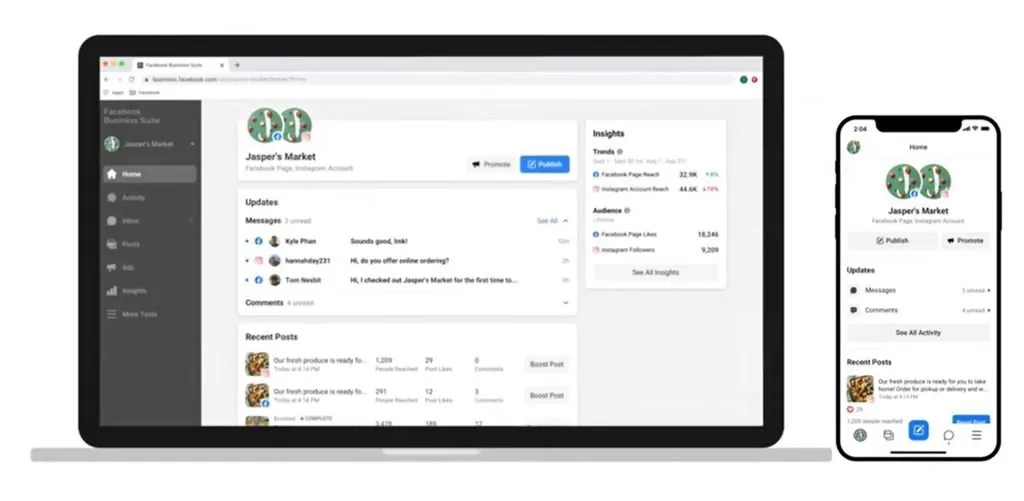
When we wrote the first version of this guide in 2019, scheduling an Instagram post for free was news: you had to use Facebook’s Creator Studio. That tool is gone (Meta shut it down in 2023 and moved its features into Meta Business Suite), and scheduling is now much simpler. So we rewrote everything.
There are two free ways: directly from the Instagram app, or from your computer with Meta Business Suite.
What you need first
- A professional account (business or creator): personal accounts cannot schedule. Switching is free and takes a few taps in Settings, and you can switch back.
- To use Meta Business Suite, the Instagram profile must be linked to a Facebook Page (and your Facebook account). If the link is missing, the setup guides you through it.
Method 1: from the Instagram app
- Create the post as usual: pick the photo or video, edit it and write the caption.
- On the final screen, before sharing, open Advanced settings.
- Turn on the scheduling option and choose a date and time.
- Tap Schedule instead of Share.
You can schedule feed posts, carousels and Reels up to about 75 days ahead. To find, edit or delete queued content, use Scheduled content in the profile menu.
Method 2: from a computer with Meta Business Suite
- Log in at business.facebook.com with the Facebook account linked to your Instagram profile.
- Go to Create post (or the Planner) and choose where to publish: Instagram, Facebook or both.
- Upload your photo or video and write the caption.
- Use the arrow next to the publish button, choose Schedule, set date and time and confirm.
Business Suite gives you a calendar of everything scheduled, insights and, unlike the app, the ability to schedule Stories too.
What changed since 2019
- Creator Studio is gone: guides that mention it are outdated.
- IGTV is gone: long videos are now published as videos or Reels.
- You can now edit or delete a scheduled item without recreating it.
- Hashtags: captions are still capped at 2,200 characters, but Instagram is reducing the number of hashtags allowed (from 30 to 5 per post, rolling out gradually). Use a few really relevant ones.
A final tip
After scheduling, always check the calendar or scheduled content: the link between Instagram and Facebook sometimes needs reconnecting, and a post that fails to go out is only noticed by looking. Menus change often: if a name doesn’t match, look for the similar option in advanced settings.